Skip to content

mroenborg

Automating tasks of an IT-professional

  • Home
  • All
    • Powershell
    • VB .NET
    • VBScript
  • SCCM
    • Powershell
    • VBScript
  • Intune
    • IntuneWinAppUtil PowerShell GUI
  • Projects
    • SCCM Quick Lookup
    • SCCM Auto Management
    • Data Migration Tool: USMT GUI backup/restore tool using the PowerShell App Deploy Toolkit
  • About

Day: 28 November 2018

Move computer object in a SCCM Task Sequence using a PowerShell script
3. February 201928. November 2018 by Morten Rønborg

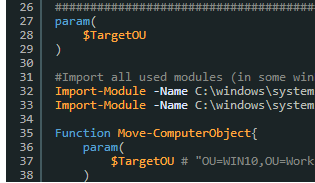
This script is useful if you re-image a machine which will re-use its AD computer name, or a new machine which needs to be moved to a specific OU chosen in a HTA.
Follow the steps in the script description to accomplish this and match the step in the image.

Read more

Categories All, Powershell, SCCM 2 Comments

About


Living in Copenhagen. Have been working with IT since 2010, currently working at Zwable mainly with SCCM and Infrastructure.

Archives

  • February 2019
  • November 2018
  • September 2018
  • October 2017
  • September 2017
  • May 2017
  • April 2017
  • January 2017
  • December 2016

Recent Posts

  • Export CSV SCCM software report using PowerShell
  • Move computer object in a SCCM Task Sequence using a PowerShell script
  • Automatically create device collections based on software metering rules
  • IntuneWinAppUtil PowerShell GUI
  • Fixing the Software Metering agent when having error 80070424 in the mtrmgr.log

Categories

  • All
  • Intune
  • Powershell
  • Powershell
  • SCCM
  • VBScript
November 2018
M T W T F S S
 1234
567891011
12131415161718
19202122232425
2627282930  
« Sep   Feb »
© 2026 mroenborg • Built with GeneratePress